
4K Custom Virtual Office Backgrounds


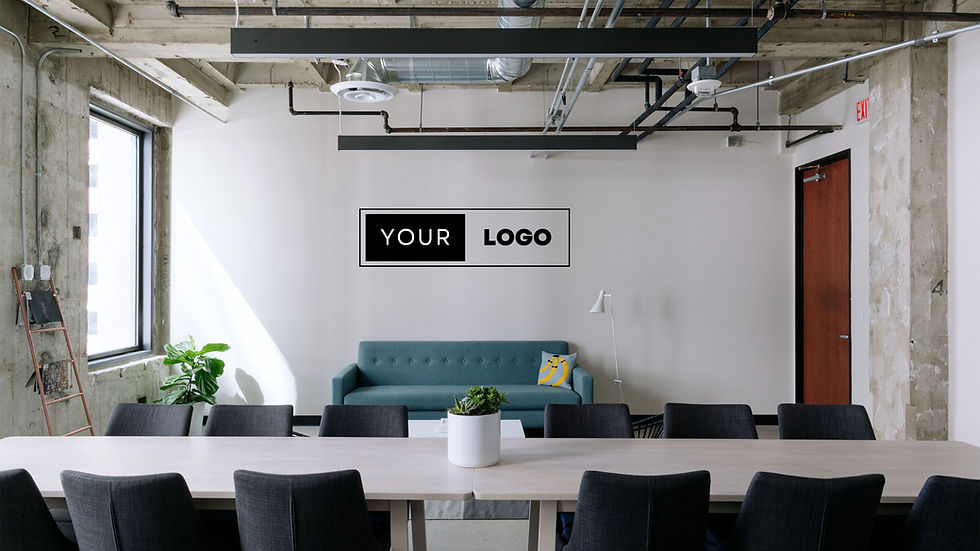




What Are 4K Custom Virtual Office Backgrounds?
A 4K custom virtual office background is a high-resolution digital backdrop for video meetings, rendered at roughly 3840 x 2160 pixels, about four times the pixel density of standard 1080p HD. That extra resolution produces incredibly crisp, clear visuals that significantly outperform traditional HD backgrounds.
Unlike generic options, our 4K Zoom backgrounds are customized to your brand, setting, and personal style. From sleek corporate offices to creative co-working spaces, the superior detail in 4K ensures your background looks natural and professional, helping you project the right image in every virtual interaction.
4K vs. HD Virtual Backgrounds: What's the Difference?
4K backgrounds use about four times the pixel count of HD (3840 x 2160 versus 1920 x 1080), which shows up as sharper edges, cleaner logos or signage, and less visible compression on modern webcams and displays. HD backgrounds stay lighter and work well on older hardware or slower connections. 4K is the better choice when image quality and brand presentation matter most; see our HD Backgrounds category for a lower-resolution alternative.
Why Use a 4K Custom Virtual Office Background?
A 4K virtual background improves professionalism, focus, and brand consistency by delivering sharper, more natural-looking video than standard or HD backgrounds. The clarity and quality of a 4K Zoom background offer several important benefits:
Enhanced Professionalism: A pixelated or blurry background can send the wrong message. A 4K background shows you value professionalism and attention to detail.
Improved Focus: High-resolution images are easier on the eyes, helping colleagues and clients stay focused on you, not distracted by poor visuals.
Branding Opportunities: With logo customization options, your background can subtly promote your company without being intrusive.
Consistency: Whether your real-life office is a bit messy or you're working from a coffee shop, a 4K Zoom plain office background keeps your visual environment clean and consistent.
With more teams operating remotely than ever before, investing in an office background 4K option can help your brand or personal image remain polished and trustworthy.
Key Features of Our 4K Custom Virtual Office Backgrounds
Custom Virtual Office's 4K backgrounds combine ultra-high resolution with logo customization, diverse styles, and compatibility across every major video platform. Here's what you can expect from our service:
Ultra-High Resolution: All our backgrounds are created in true 4K, ensuring stunning clarity on any device.
Customization Options: Add your company logo to create a unique background that reflects your identity.
Diverse Styles: Choose from modern offices, creative workspaces, minimalistic designs, or a classic 4K Zoom plain office background.
Platform Compatibility: Our backgrounds are optimized for Zoom, Microsoft Teams, Google Meet, and more.
Simple Setup: Easy to install, even for non-tech-savvy users.
We believe every professional deserves a background that's as sharp and sophisticated as they are, and our 4K Zoom backgrounds deliver exactly that.
How to Get Started with 4K Custom Virtual Office Backgrounds
Getting a 4K virtual background from Custom Virtual Office takes five steps: browse, customize, download, upload, and connect. Here's how easy it is to get started with our 4K custom virtual backgrounds:
Browse and Select: Visit our gallery to choose your ideal office background 4K design, or request a fully customized version.
Customize Your Background: Upload your logo for a truly personalized touch.
Download: Receive your optimized, high-resolution file.
Upload to Your Video Platform: Follow simple upload instructions for Zoom, Teams, or Meet, and set your new background.
Stand Out in Every Meeting: Enjoy the confidence that comes with a professional, crystal-clear backdrop.
Whether you're an entrepreneur, an executive, or a team leader looking to unify your remote staff's appearance, our 4K backgrounds ensure you look your best, every call, every time.
Upgrade your virtual office space today with Custom Virtual Office and experience the true difference that 4K Zoom backgrounds can make!
Frequently Asked Questions
What resolution is a 4K virtual background?
A 4K virtual background is rendered at approximately 3840 x 2160 pixels, about four times the pixel count of a standard 1080p HD background.
Do I need special hardware to use a 4K virtual background?
No special hardware is required. Any device that supports custom virtual backgrounds on Zoom, Microsoft Teams, or Google Meet can display a 4K background; a newer webcam or larger monitor will show the extra detail more clearly.
Is a 4K background noticeably better than an HD background on a video call?
Yes, particularly on larger screens or when logos and text appear in the background. On small laptop webcams the difference is subtler, but 4K still renders edges and colors more accurately than HD.
Can I add my company logo to a 4K virtual background?
Yes. All of our 4K backgrounds support logo customization, so you can keep your branding sharp and visible without sacrificing image quality.


